1. Squash and Stretch
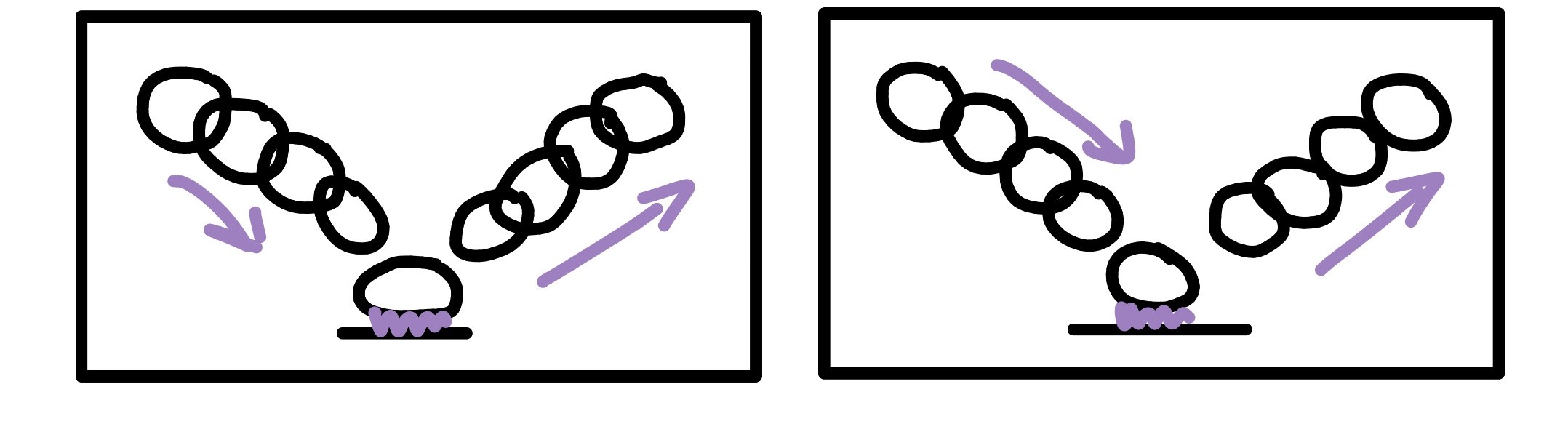
Squash and stretch gives objects a sense of weight and flexibility. By deforming shapes while preserving volume, motion appears more dynamic and alive.
In computer animation, this principle extends beyond cartoons. Motion of objects shows in soft-body simulation, facial animation, and even subtle camera motion. We perceive these deformations as indicators of material properties and physical forces.
2. Anticipation
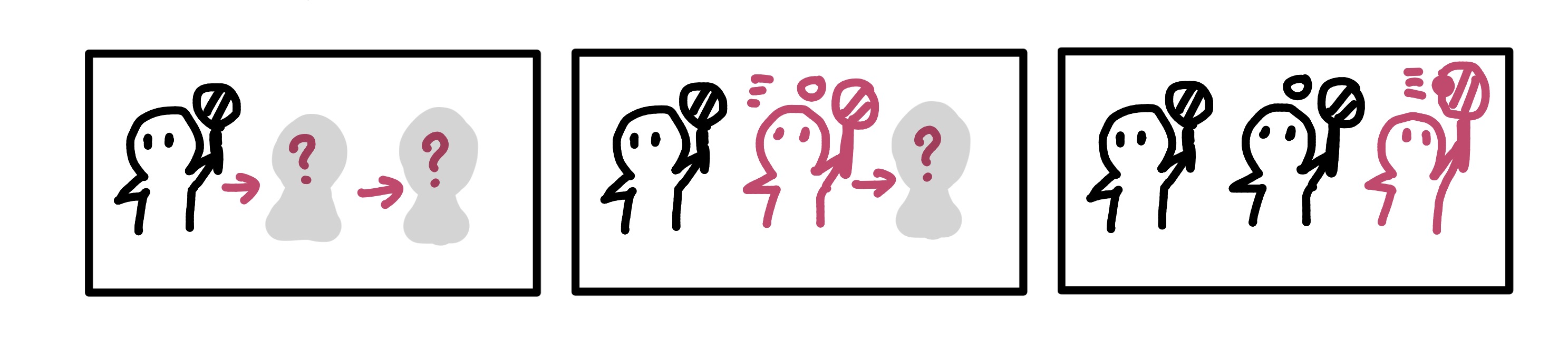
Anticipation prepares the viewer for an upcoming action. A small preparatory movement makes the main action clearer and more readable.
Without anticipation, motion can feel abrupt or confusing, even if it is physically correct.
3. Staging
Staging is about clarity. The viewer should immediately understand what the most important action or idea is.
In graphics, staging applies to camera placement, lighting, composition, and timing—not just character motion.
4. Straight Ahead & Pose-to-Pose
Straight-ahead animation builds motion frame by frame, while pose-to-pose animation plans key poses first.
These approaches reflect a trade-off between spontaneity and structural control—both are used in modern pipelines.
5. Follow Through & Overlapping Action
Parts of a body do not stop moving at the same time. Follow-through and overlap help convey inertia and mass.
This principle strongly connects to physics-based animation and articulated motion.
6. Timing
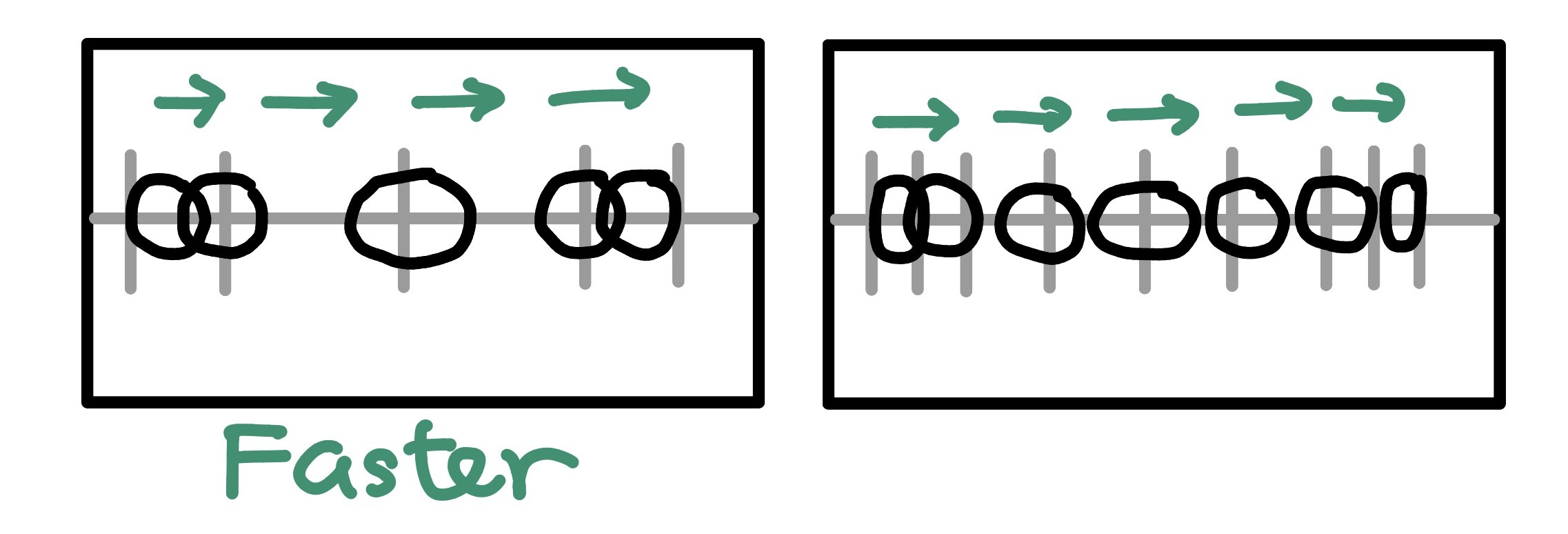
Timing controls how long an action takes. It directly influences perceived weight, emotion, and intent.
Even simple motion can feel completely different with small timing changes.
7. Slow In & Slow Out
Most natural motion accelerates and decelerates smoothly. Slow in and slow out prevent motion from appearing robotic.
In CG, this principle is closely tied to animation curves and interpolation.
8. Arcs
Organic motion tends to follow curved paths rather than straight lines. Arcs help motion feel natural and continuous.
This principle is especially visible in limb movement and camera trajectories.
9. Secondary Action
Secondary actions support the main action without distracting from it.
These subtle motions add richness and realism to animated characters.
10. Appeal
Appeal is about visual clarity and interest. Characters and motions should be engaging, even when they are simple.
Appeal is not about beauty—it is about readability and design.
11. Exaggeration
Exaggeration pushes motion beyond strict realism to enhance clarity and emotion.
Even realistic animation often benefits from controlled exaggeration.
12. Solid Drawing
Solid drawing emphasizes volume, balance, and spatial consistency.
In 3D graphics, this principle translates to understanding form, anatomy, and spatial relationships.